This post may contain affiliate links. This means if you click a link and purchase an item that I recommend, I will receive an affiliate commission at no extra cost to you. All opinions are my own.
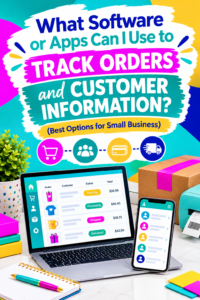
Running a Cricut business involves more than creating beautiful products. You also need to keep track of customer orders, payment statuses, shipping details, custom requests, and customer contact information. If you are managing everything through social media messages, emails, or handwritten notes, it is easy to lose track of important details.
The good news is that several software programs and apps can help you organize your business, save time, and provide a better customer experience. Whether you sell personalized tumblers, custom shirts, party favors, or digital downloads, choosing the right order management software for your small business can make a significant difference.
1. Use a Spreadsheet to Track Customer Orders
If you are just starting your Cricut business, you do not necessarily need expensive software. Google Sheets and Microsoft Excel are affordable options for organizing orders and customer information.
You can create a spreadsheet with columns for:
- Customer name and contact information
- Order number and product details
- Customization requests
- Order date and deadline
- Payment status
- Production status
- Shipping information and tracking numbers
Google Sheets is especially helpful because you can access your information from different devices and share files with authorized team members.
For example, if someone orders a personalized shirt through Instagram, you can immediately record the order, payment status, and requested design. This makes it easier to manage multiple orders without relying on your memory.
As your business grows, consider exploring additional tools through the InsideOutlined Store to help you streamline your Cricut business.
2. Try Trello for Visual Order Tracking
Trello is a project management tool that can help you organize orders using visual boards and cards.
You can create columns such as New Orders, Awaiting Payment, Ready for Production, In Progress, Ready to Ship, and Completed. Each order gets its own card containing the information you need to fulfill it.
This approach works particularly well for Cricut businesses that make personalized products because every order may have different design requirements or production steps.
For example, a custom T-shirt order might move from the New Orders column to In Progress once the customer approves the design. After pressing the shirt, you can move the card to Ready to Ship.
Using a visual tracking system helps you identify unfinished orders and prioritize deadlines.
3. Use Shopify to Manage Orders and Customers
If you sell products through your own online store, Shopify offers tools for managing orders, customer information, payments, and fulfillment.
Instead of manually recording every purchase, you can manage orders placed through your Shopify storefront from your store’s administration area. Customer profiles and order histories can also help you understand previous purchases and provide better service.
Shopify may be a good fit for established Cricut businesses selling custom apparel, drinkware, gifts, and other physical products.
However, consider the subscription cost and available features before choosing a platform. If you are still testing your product ideas, a simpler solution may be sufficient.
You can also explore the InsideOutlined Store for resources to help you build and grow your crafting business.
4. Consider Etsy’s Built-In Order Management Tools
If you sell personalized products on Etsy, start by using the order management features already available in your seller account.
Etsy allows sellers to review orders, communicate with customers, manage shipping information, and monitor fulfillment. Keeping your orders organized within Etsy can reduce the need to enter the same information into multiple systems.
This option is especially useful for beginners who sell custom gifts, personalized party decorations, and handmade items.
Remember that orders received through Instagram, Facebook, or in-person events may still need a separate tracking process. Choose a system that accounts for every sales channel you use.
5. Use a CRM to Organize Customer Information
A customer relationship management (CRM) tool helps you organize customer details and track interactions with buyers.
Options such as HubSpot CRM can help you maintain customer records, document conversations, and manage follow-up activities. Depending on the tool and plan, you may also have access to email marketing and automation features.
For example, you could keep notes about a customer’s preferred shirt sizes, favorite colors, or recurring seasonal orders. When that customer returns, you will have useful information to make the buying experience more personal.
Only collect the customer information you genuinely need, protect it appropriately, and follow applicable privacy requirements.
How to Choose the Best Order Tracking App for Your Cricut Business
The best software depends on your current needs, budget, and sales volume.
If you are a beginner, Google Sheets may be enough. If you prefer visual organization, Trello is worth considering. Etsy and Shopify are useful for managing orders through their respective marketplaces or storefronts, while a CRM can help you build stronger customer relationships.
Before choosing a tool, make sure it helps you track payments, deadlines, custom requests, and completed orders without creating unnecessary work.
You should also establish a consistent process for recording orders from every sales channel. Never assume a social media message is a confirmed order until the customer has completed your required ordering and payment steps.
For more resources to help you organize and grow your Cricut business, visit the InsideOutlined Store.
Final Thoughts
Tracking orders and customer information does not have to be complicated. The right order management software for a small business can help you reduce mistakes, meet deadlines, and deliver a more professional customer experience.
Start with a simple system that fits your budget, use it consistently, and upgrade when your order volume increases. With better organization, you can spend less time searching for customer details and more time creating products your customers love.